GA4 Setup in Bangalore: Tracking You Can Actually Trust
Open your analytics and ask one question: how many leads did last month's ads really produce? If the answer changes depending on whether you ask Google Ads, Meta or GA4, your tracking is the problem, not your marketing. SPRANEX handles GA4 setup in Bangalore for businesses that want one set of numbers they can stand behind, with Google Search Console and Tag Manager wired in properly from day one.
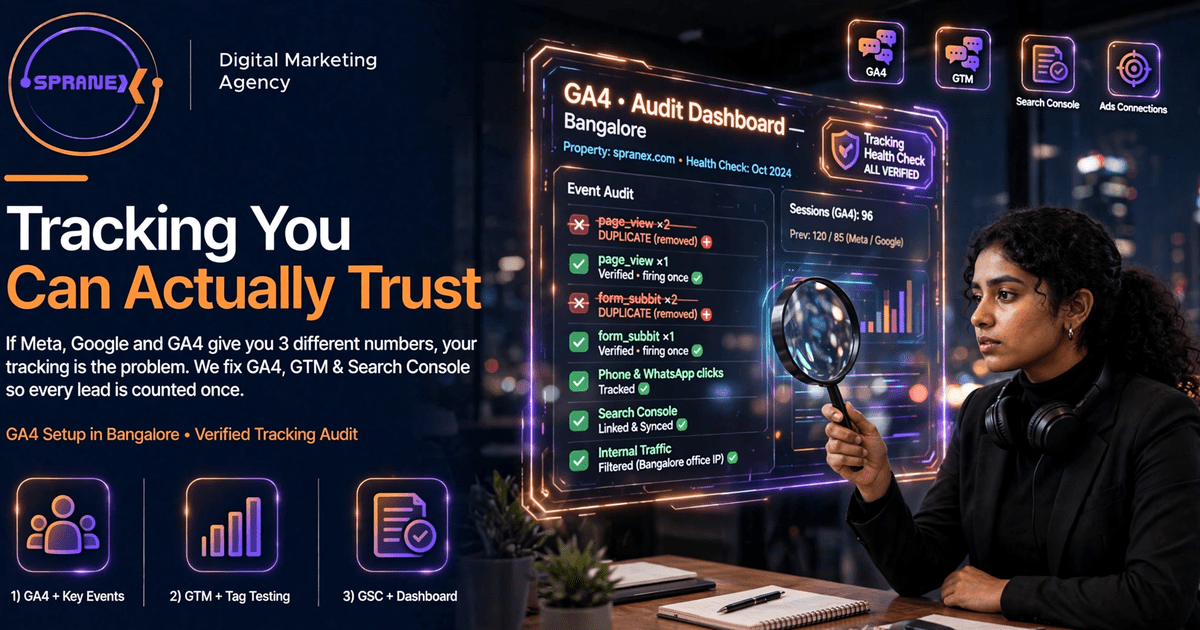
- ✓ page_view fires once per page
- ✓ form_submit / generate_lead fires once
- ✓ phone and WhatsApp clicks recorded
- ✓ key events imported to Google Ads
- ✓ Search Console linked to GA4
- ✓ internal traffic filtered out
Why most analytics setups quietly lie
Since Google replaced Universal Analytics with GA4, a lot of Bangalore businesses just installed the new tag and moved on. The result is familiar: events that fire twice, form submissions counted as page views, no conversions marked as key events, and Google Ads optimising towards a goal that doesn't exist. Every report looks fine. None of them can be trusted.
Good GA4 setup in Bangalore is mostly unglamorous checking: does each button, form and call actually record once, with the right label, and does the same number show up where your ads platforms can use it? That checking is what we do first.
What SPRANEX's GA4 and Search Console Setup Covers
Tracking is a stack, not a single tag. Each layer of our GA4 setup in Bangalore depends on the one before it, which is why we build them in this order.
GA4 Property & Events
A clean GA4 property with the events your business actually cares about, named consistently and marked as key events.
- Property, data streams and data retention
- Lead, call, WhatsApp and purchase events
- Internal and developer traffic filters
Google Tag Manager
All tags in one container, versioned and documented, so your website developer isn't hand-pasting scripts every time you run a campaign.
- Container setup and naming standards
- Triggers for forms, clicks and scroll
- Preview and debug testing before publish
Google Search Console
The free tool that shows how Google actually sees your site: what you rank for, what isn't indexed, and what's broken.
- Domain property verification
- Sitemap submission and indexing checks
- Search Console linked to GA4
Ads Platform Connections
Your tracking feeds your Meta, Google and ChatGPT Ads, so the platforms optimise on real leads instead of clicks.
- GA4 linked to Google Ads
- Meta pixel and Conversions API
- Enhanced and offline conversions
Dashboards & Reporting
One Looker Studio dashboard pulling GA4, Search Console and ad spend together, readable without a marketing degree.
- Leads and cost per lead in one view
- Organic vs. paid vs. social split
- Monthly written summary
Tracking Audit & Repair
Already have analytics running? We test what's actually firing and fix what's duplicated, missing or mislabelled.
- Duplicate and missing event detection
- Cross-domain and subdomain checks
- Written findings, fixed in priority order
Search Console and GA4 Answer Different Questions
Google Search Console tells you what happens before the click: which searches show your site, where you rank, and which pages Google couldn't index. GA4 tells you what happens after: who arrived, what they did, and whether they became a lead.
Linking the two shows which search queries and pages actually lead to enquiries, which is the number your SEO work should be judged on. A page ranking well but sending no leads needs a different fix than a page nobody finds.
Questions your data should answer
- ◭Which campaign produced this lead?Not just "Google" or "Meta", but the specific campaign, ad and landing page.
- ◭Which pages should we fix first?High-traffic pages with low conversion, found in minutes rather than guessed.
- ◭Is my organic traffic growing?Impressions, clicks and rankings from Search Console, tied to real enquiries.
Tracking for the Way Bangalore Businesses Actually Get Leads
In Bangalore, the lead often isn't a form. It's a phone call from a Koramangala office, a WhatsApp message from a Whitefield buyer, or a site visit booked after three weeks of browsing. Standard GA4 misses most of that unless it's set up for it, which is why GA4 setup in Bangalore needs a local lens. We track calls, WhatsApp clicks and form fills, and match offline outcomes back to the campaign where your CRM allows.
What This Looks Like In Practice
- ◭Real estateEnquiry forms, call clicks and WhatsApp taps tracked per project, with site visits matched back to the campaign that drove them.
- ◭E-commerceProduct views, add-to-cart and purchase events with revenue, so ROAS reflects actual sales.
- ◭Local servicesBooking forms and calls tracked against both ads and your Google Business Profile.
What Happens After You Sign Up
Measurement Plan
We agree on what counts as a lead or sale for your business before touching any code, so every event has a purpose.
Build in Tag Manager
GA4 tags, triggers and ad platform connections are built and tested in preview mode, not on your live site.
Test Every Event
Each form, button and call is tested end to end, and the numbers are checked against your CRM or inbox.
Dashboard & Handover
You get a live dashboard and a short written guide, with access you own, so nothing is locked inside our accounts.
How Long This Actually Takes
A standard GA4 setup in Bangalore usually takes 1–2 weeks to set up and test properly, longer for e-commerce stores or sites with a CRM to connect. One thing worth knowing: GA4 can't recover data from before it was installed, so the sooner tracking is right, the sooner you start building a useful history. Expect to wait several weeks of data before trends mean much, and Search Console typically needs a few days after verification before reports fill in. Anyone offering "instant insights" from a brand-new setup is overselling.
Frequently asked questions
What does GA4 setup in Bangalore include? +
A GA4 property and data stream, event and key event tracking for forms, calls and purchases, Google Tag Manager, a Search Console link, ad platform connections, and a dashboard. SPRANEX tests each event before handing over.
What is the difference between GA4 and Google Search Console? +
Search Console shows how your site performs in Google Search before the click: queries, impressions, rankings and indexing. GA4 shows what visitors do on your site after they arrive. They work best linked together.
Can you fix my existing GA4 setup? +
Yes. SPRANEX audits what is actually firing, finds duplicate or missing events, and fixes them in priority order. You keep full ownership of the account.
Will GA4 track phone calls and WhatsApp clicks? +
Click-to-call and WhatsApp button clicks can be tracked as events. Matching calls and site visits to specific campaigns usually needs call tracking or CRM data, which SPRANEX can connect where your tools allow it.
How long does tracking setup take? +
Most websites take one to two weeks to set up and test. E-commerce stores and sites with a CRM take longer. GA4 cannot recover data from before it was installed, so earlier is better.
Helpful resources
Official guides we trust, plus related SPRANEX services.
Official guides
- Google Analytics Help – Official GA4 setup and reporting guides
- Search Console Help – How Google reports on your site's search performance
- Google Tag Manager Help – Official guides for tags, triggers and events
Related services
- Performance marketing – Meta, Google and ChatGPT Ads compared
- SEO, AEO and GEO – Be found on Google and in AI answers
Not sure if your tracking is telling the truth?
Talk to SPRANEX about GA4 setup in Bangalore. We'll check what your analytics is really recording and tell you what's missing, in plain language.
